Compared on 18 October 2026
opah vs Clockify
Clockify is a time tracker and timesheet app for teams, free for up to five users, with rates, invoices and approvals on its paid plans. opah is a planner for working for several companies at once, with a timer on each issue it reads from their trackers and your week’s time per client and project. Here’s how they differ.
The demo runs on sample data in your browser. Nothing is saved: reload it to start over.
Side by side
| Feature | opah | Clockify |
|---|---|---|
| What it is | A personal planner for working for several companies at once: the issues assigned to you in their trackers, your calendars, meetings, notes, deadlines and time. | A time tracker and timesheet app for teams: track work hours across projects, with reports, and rates and invoices on paid plans. |
| Time tracking | Built in: a timer and entries on each issue. | Its core: a timer or hours by hand, timesheet, calendar, Pomodoro, idle detection and reports, free. Rates and CSV or Excel exports from Basic, invoices and approvals from Standard, expenses and screenshots from Pro. |
| Separate clients | A workspace per company, each with its own projects, connections, calendars, notes and meetings. | Clients, each with its projects, and tasks and tags under them, in one workspace. More workspaces are possible, each kept apart. |
| Issue trackers | Reads the issues assigned to you from Linear, Jira Cloud, GitHub (and Enterprise Server) and GitLab (and self-managed), and tasks from a Notion database, several connections each. | Its browser extension puts a timer button in Jira, GitHub, GitLab, Linear and Notion, on every plan; a free Jira app tracks time on an issue. Importing the issues assigned to you isn’t documented. |
| Written back to trackers | Only an issue’s status, and only when you turn on Send status for that connection. | Jira only: time stopped in its Jira app goes to the issue’s work log, and changes there sync back. Nothing documented for GitHub, GitLab, Linear or Notion. |
| Calendars | Google Calendar, several accounts, both ways. No Outlook or iCloud. | Google Calendar and Outlook (Microsoft 365), view only: start a timer from an event, or copy it into an entry. |
| Slack | A message you react to with an emoji becomes an issue in your Inbox, linked back to it. | The extension’s timer button works in Slack; anything more goes through Zapier or Make. |
| Notes and meetings | Markdown notes, and meetings with their agenda and notes, linked to issues with @. No recording or transcripts. | A Markdown note on each project and a description on each entry. No other notes or meeting notes found. |
| Planning | You plan: Today, a day per issue, deadlines and estimates. Nothing schedules itself, and there’s no AI. | Tasks with assignees and estimates, and a calendar of time blocks to compare planned with tracked. Team scheduling on a timeline from Pro. |
| Where it runs | In the browser, installable as an app on your computer. No mobile apps. | Web, desktop apps for macOS, Windows and Linux, iOS and Android, browser extensions and a kiosk. |
| Price | Free for now. Later one plan: €10 a month, or €96 a year, tax included. | Free for up to 5 users. Per seat a month, billed yearly or monthly: Basic $3.99 or $4.99, Standard $5.49 or $6.99, Pro $7.99 or $9.99, Enterprise $11.99 or $14.99. |
| Trying it | A demo in the browser with sample data and no account. Once plans start, a free month first, no card. | Signing up starts a 7-day trial of Pro, no card, then the free plan. No demo without signing up. |
Checked on 18 October 2026 against Clockify’s own pages, prices in US dollars before tax as shown there. Sources: pricing, free plan, free trial, workspaces, integrations, Jira, GitHub, GitLab, Notion, calendars, browser extension, Slack, project notes, invoicing, scheduling, apps.
Where Clockify fits better
- You bill by the hour and want rates, invoices from your tracked time, expenses or approved timesheets in the same app.
- You track time on more than tasks: entries with no task, idle detection, a Pomodoro timer or a kiosk.
- You want to track from your phone or a desktop app, or log time in Jira’s work log from Jira itself.
- A team tracks together: its free plan takes up to five users.
Where opah fits better
- You want your clients’ issues brought to you: opah reads those assigned to you from Jira, Linear, GitHub, GitLab and Notion, and you start the timer on them, where Clockify’s button times the issue you have open.
- You want to plan the work you track: Today, deadlines, estimates, meetings and notes sit beside the timer.
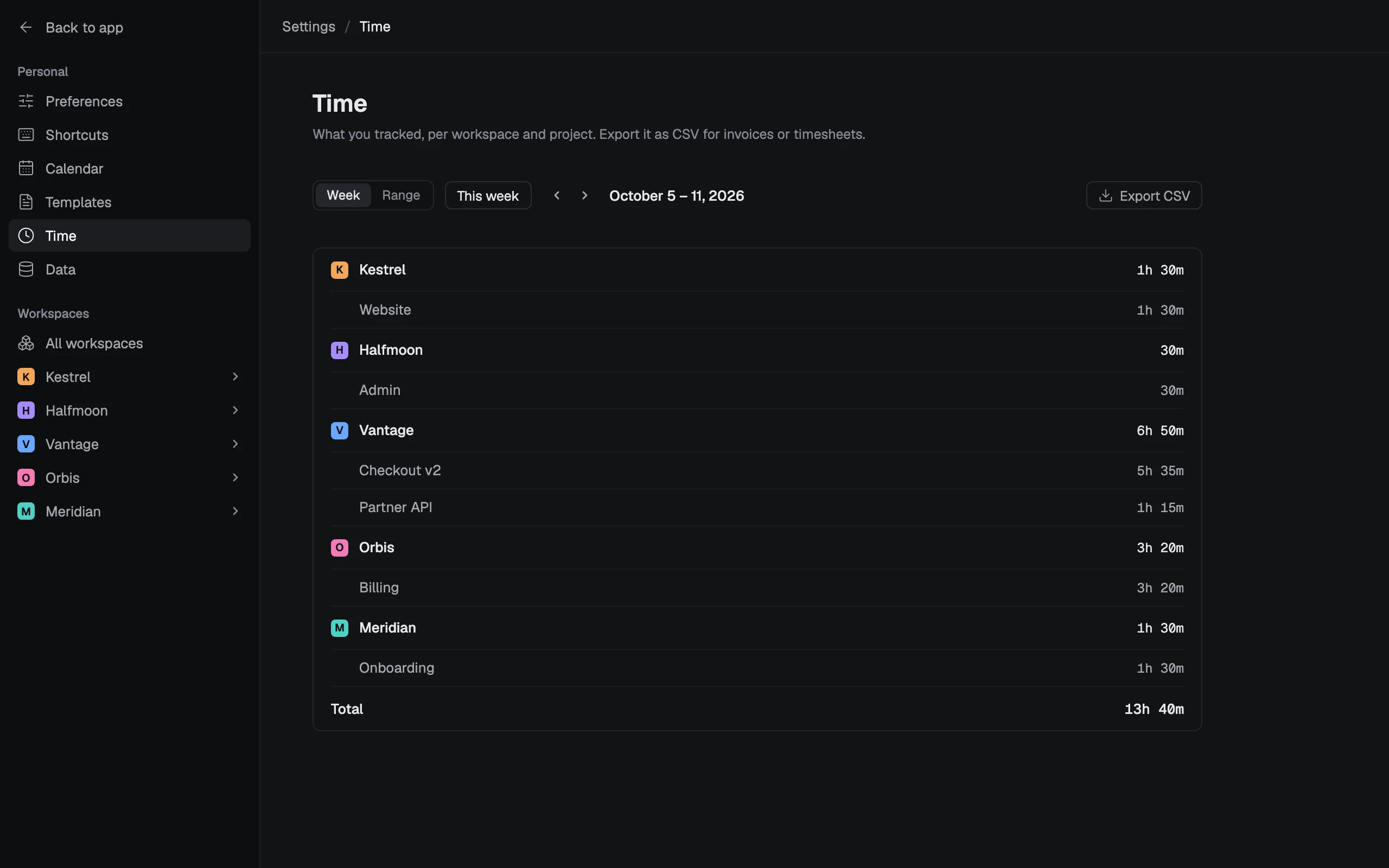
- You want each week per client and project, for any range of days, and a CSV of it in the one plan: Clockify’s free plan exports PDF only and reports a month at most. More on time tracking.
- Your Google calendars should go both ways: Clockify shows events view only.
- You’d like to try it with sample data before giving anyone your email address.
Who it’s for
Freelancers, contractors, consultants and fractional leads who work for several companies at once and sit in each one’s tools. It’s a personal planner, not a team tool: nothing to roll out to your clients, nobody to invite.
See it with sample data
The demo opens in your browser with five made-up companies’ issues, calendar, meetings and notes. Nothing to sign up for.
Try the demo, no account