Time tracking
Time tracking built into your planner.
Start a timer on the issue you’re working on, whichever client it’s for. opah totals your time per client and project for any week or range, and exports it as CSV for your invoices and timesheets.
The demo runs on sample data in your browser. Nothing is saved: reload it to start over.
Track as you work
- Start and stop a timer on any issue, from its page or its right-click menu.
- One timer runs at a time: starting another stops the first. The sidebar shows the running one, its issue and a stop button.
- Forgot to start it? Add an entry by hand, and change any entry’s start, end, date or note.
- Each issue shows its total against its estimate.
Per client and project
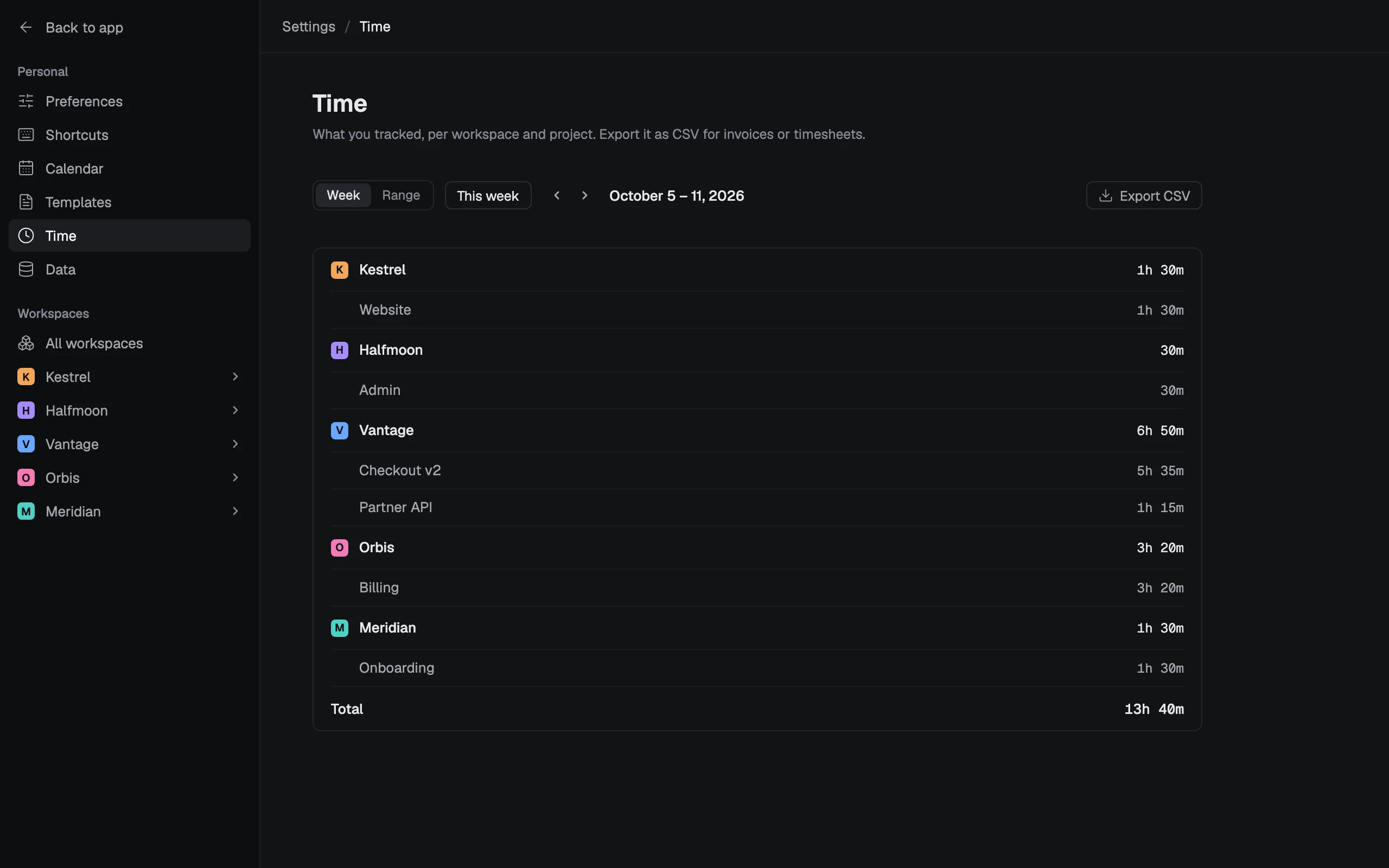
Each workspace has a Time tab with the week’s time per issue, and each project shows this week’s time by day and its total. Settings › Time totals a week, or any range of days, per workspace and project.
Export for invoices and timesheets
The CSV has a row per entry and day: date, workspace, project, issue key, issue title, start, end, minutes and note. An entry that runs past midnight is cut there, so each day adds up.
opah doesn’t make invoices: the CSV goes into your spreadsheet or invoicing tool.
On your clients’ issues too
Time works the same on the issues opah reads from a client’s Jira, Linear, GitHub, GitLab or Notion. It stays in opah and is never sent to their tracker.
Questions
Can I track time on Jira issues?
Yes, on any issue opah reads from Jira, and from Linear, GitHub, GitLab and Notion. The time stays in opah; it isn’t logged in Jira.
Can I export my tracked time?
Yes, as CSV from Settings › Time, for a week or any range of days: a row per entry and day, with the client, project, issue and minutes.
Can two timers run at once?
No. Starting a timer stops the one that’s running, so no minute is counted twice.
Does opah make invoices?
No. It tracks the time and exports it; your invoicing tool or spreadsheet takes it from there.
See it with sample data
The demo opens in your browser with five made-up companies’ issues, calendar, meetings and notes. Nothing to sign up for.
Try the demo, no account