Compared on 15 October 2026
opah vs Akiflow
Both gather work from the tools you use into one place. Akiflow is a time-blocking planner with one inbox for every tool and an AI assistant. opah is built for working for several companies at once, around their issue trackers. Here’s how they differ.
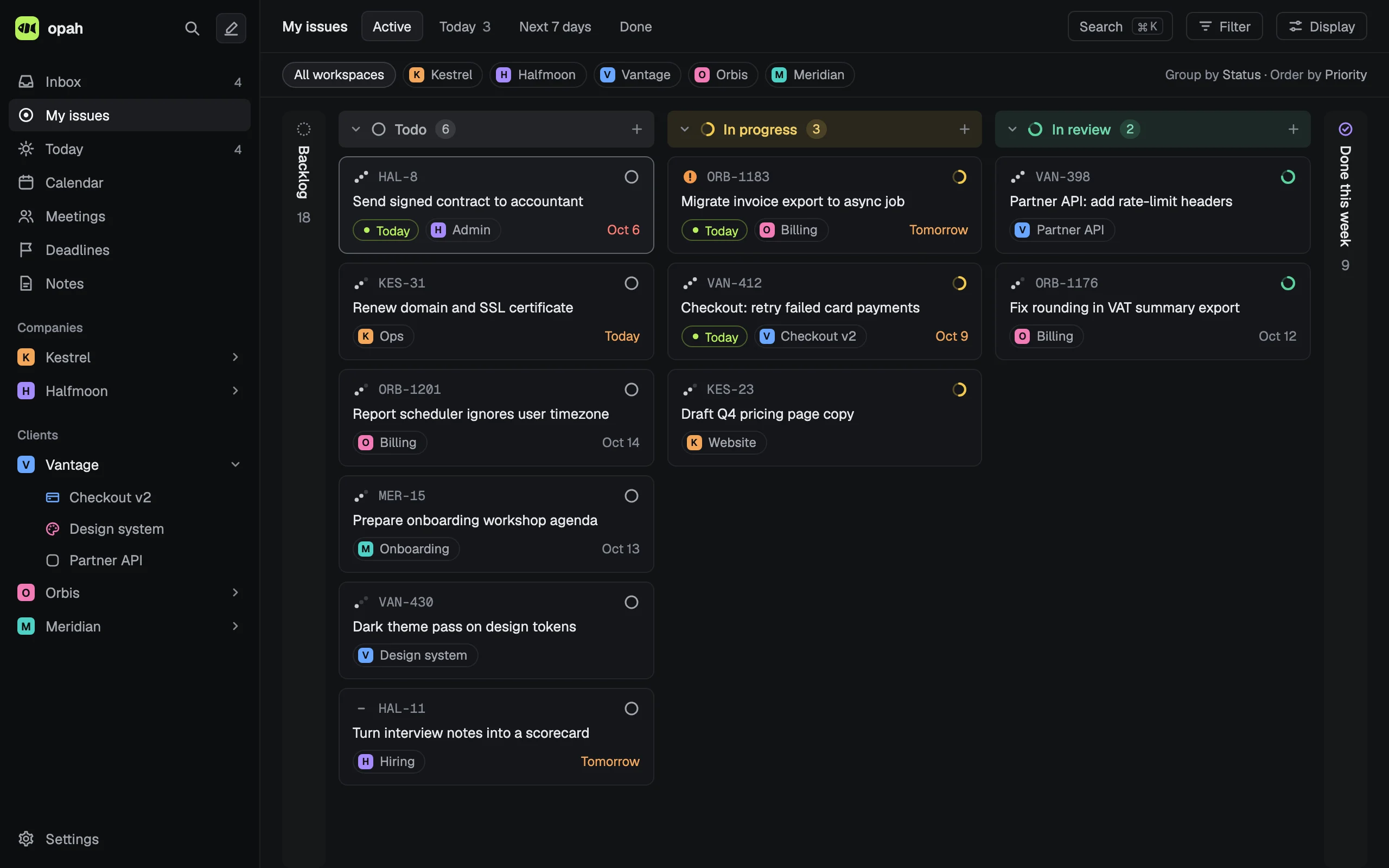
The demo runs on sample data in your browser. Nothing is saved: reload it to start over.
Side by side
| Feature | opah | Akiflow |
|---|---|---|
| What it is | A personal planner for working for several companies at once: the issues assigned to you in their trackers, your calendars, meetings, notes, deadlines and time. | A time-blocking planner: a Universal Inbox collects tasks from connected tools, and Aki is its AI assistant. |
| Separate clients | A workspace per company, each with its own projects, connections, calendars, notes and meetings. | Folders, projects, sections and tags; its guide for freelancers suggests a Clients folder with a project per client. |
| Issue trackers | Reads the issues assigned to you from Linear, Jira Cloud, GitHub (and Enterprise Server) and GitLab (and self-managed), and tasks from a Notion database, several connections each. | Jira, Linear, GitHub and Notion, imported into the Inbox by your filters, as many accounts as you like. From GitHub, the title and link only. GitLab only through Zapier. |
| Written back to trackers | Only an issue’s status, and only when you turn on Send status for that connection. | Both ways: title, dates and done or undone go back to Jira, Linear, GitHub and Notion (Linear’s priority too), with a prompt when you complete a task. |
| Calendars | Google Calendar, several accounts, both ways. No Outlook or iCloud. | Google, Outlook and iCloud, as many accounts as you like, both ways. |
| Slack | A message you react to with an emoji becomes an issue in your Inbox, linked back to it. | Messages you save for later become Inbox tasks; a message shortcut creates one too. |
| Notes and meetings | Markdown notes, and meetings with their agenda and notes, linked to issues with @. No recording or transcripts. | Meeting recordings, transcripts, summaries and action items through the Meeting Assistant, a $19 a month add-on. |
| Time tracking | Built in: a timer and entries on each issue. | A focus timer, and stats from the durations of completed tasks. |
| Planning | You plan: Today, a day per issue, deadlines and estimates. Nothing schedules itself, and there’s no AI. | Time blocking, with auto-scheduling and an AI assistant, Aki (in beta). |
| Where it runs | In the browser, installable as an app on your computer. No mobile apps. | Web, desktop apps for macOS and Windows, and iOS and Android. |
| Price | Free for now. Later one plan: €10 a month, or €96 a year, tax included. | Pro: $34 a month, or $19 a month billed yearly ($228, marked as a promo); local pricing may apply. No free plan. |
| Trying it | A demo in the browser with sample data and no account. Once plans start, a free month first, no card. | A 7-day trial with a card, after which the subscription starts unless you cancel. No demo without signing up. |
Checked on 15 October 2026 against Akiflow’s own pages, prices as shown there. Sources: pricing, integrations, Jira, Linear, GitHub, Notion, Slack, Zapier, freelancers, stats, Meeting Assistant, your account, download.
Where Akiflow fits better
- You want to time-block your day from one inbox fed by many tools, Asana, ClickUp, Trello, Todoist and email among them.
- Changes in your plan, a title, a date or done, should go back to Jira, Linear, GitHub and Notion.
- Your calendars are in Outlook or iCloud, or you want desktop and phone apps.
- You want your calls recorded and transcribed.
Where opah fits better
- A client works in GitLab: Akiflow reaches it only through Zapier, one way.
- You want a GitHub issue’s description beside it, not only its title and link.
- You want each company as a workspace of its own, with its projects, issues, notes, meetings and calendars.
- You want Markdown notes and meeting notes in the planner, and time tracked on each issue.
- You want to export everything yourself any time: Akiflow’s help says tasks made in it are exported through its support.
- You’d like to try it before giving a card, or even an email address.
Who it’s for
Freelancers, contractors, consultants and fractional leads who work for several companies at once and sit in each one’s tools. It’s a personal planner, not a team tool: nothing to roll out to your clients, nobody to invite.
See it with sample data
The demo opens in your browser with five made-up companies’ issues, calendar, meetings and notes. Nothing to sign up for.
Try the demo, no account