Works with Jira Cloud
Your Jira issues from every client, in one plan.
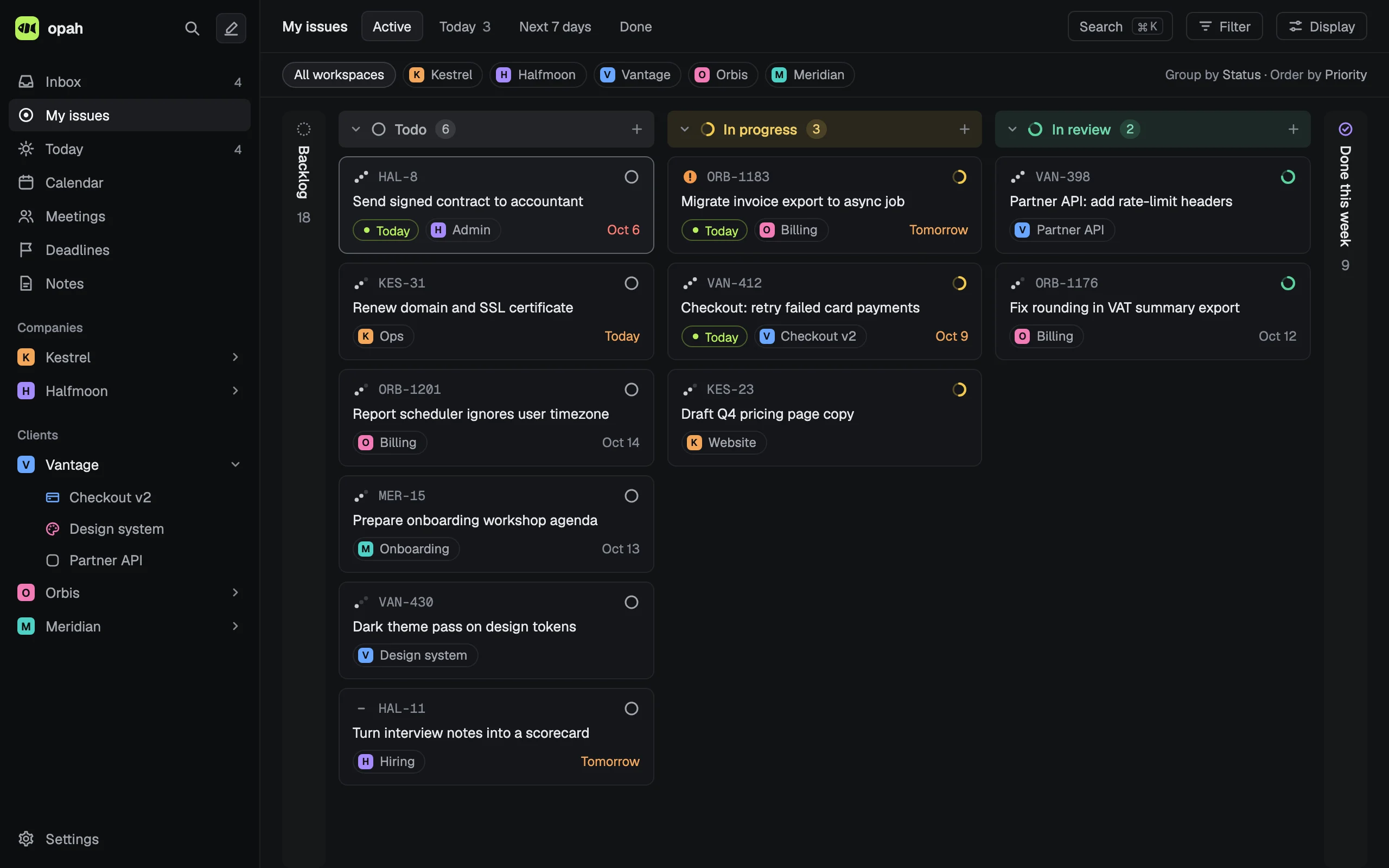
opah reads the issues assigned to you on each client’s Jira Cloud site and puts them beside the rest of your week: other trackers’ issues, your calendar, meetings and notes.
The demo runs on sample data in your browser. Nothing is saved: reload it to start over.
What it does with Jira
- Reads the open issues assigned to you, narrowed by a JQL filter of your own after
assignee = currentUser() AND. - Status, priority, due date and epic follow Jira when they change there. Epics map to your projects, by name unless you pick.
- Keeps them current while opah is open: every 2 minutes, and whenever you come back to the window. New ones land in your Inbox, so you see what arrived before you plan it.
- Title and description stay Jira’s and are read only here. Your own notes go in My notes, which never leave opah.
- Planning an issue for a day, its estimate, labels, steps, comments and tracked time are yours alone.
What goes back to Jira
Nothing, unless you turn on Send status for the connection. Then a status you set here runs the matching Jira transition, and that’s all: never a title, a description, a comment or an assignee, and never a new or deleted issue.
Jira moves an issue only by a transition from its current status. When there’s none, or its screen asks for a field, the status stays here and the issue says why.
Every client, one list
Each company you work for is a workspace with its own projects, issues, notes and meetings. Connect each client’s Jira site to its workspace; another site is another connection. Linear, GitHub, GitLab and Notion connect the same way, so My issues shows everything assigned to you, wherever it lives.
How you connect
Your Jira Cloud site, the email you sign in with and an API token from your Atlassian account. opah checks the token with Jira and keeps it encrypted on its server, where the page never sees it again. Disconnect, and the token is forgotten while the issues stay as your own.
Who it’s for
Freelancers, contractors, consultants and fractional leads who work for several companies at once and sit in each one’s tools. It’s a personal planner, not a team tool: nothing to roll out to your clients, nobody to invite.
The rest of the planner
- Today, an Inbox, deadlines and time tracking, as a list or a board
- A calendar with your Google calendars, where every meeting gets its agenda and notes
- Markdown notes for each company and project, linked with @ to issues and meetings
- A command palette and a keyboard shortcut for every action
- Runs in your browser and installs as an app; export everything as JSON or Markdown any time
See it with sample data
The demo opens in your browser with five made-up companies’ issues, calendar, meetings and notes. Nothing to sign up for.
Try the demo, no account