For developers
Every issue tracker you work in, in one list.
Contract for two companies and keep a side project, and your work sits in a Jira, a Linear, a GitHub and a GitLab. opah reads the issues assigned to you in each, and the reviews waiting on you, into one list you run from the keyboard.
The demo runs on sample data in your browser. Nothing is saved: reload it to start over.
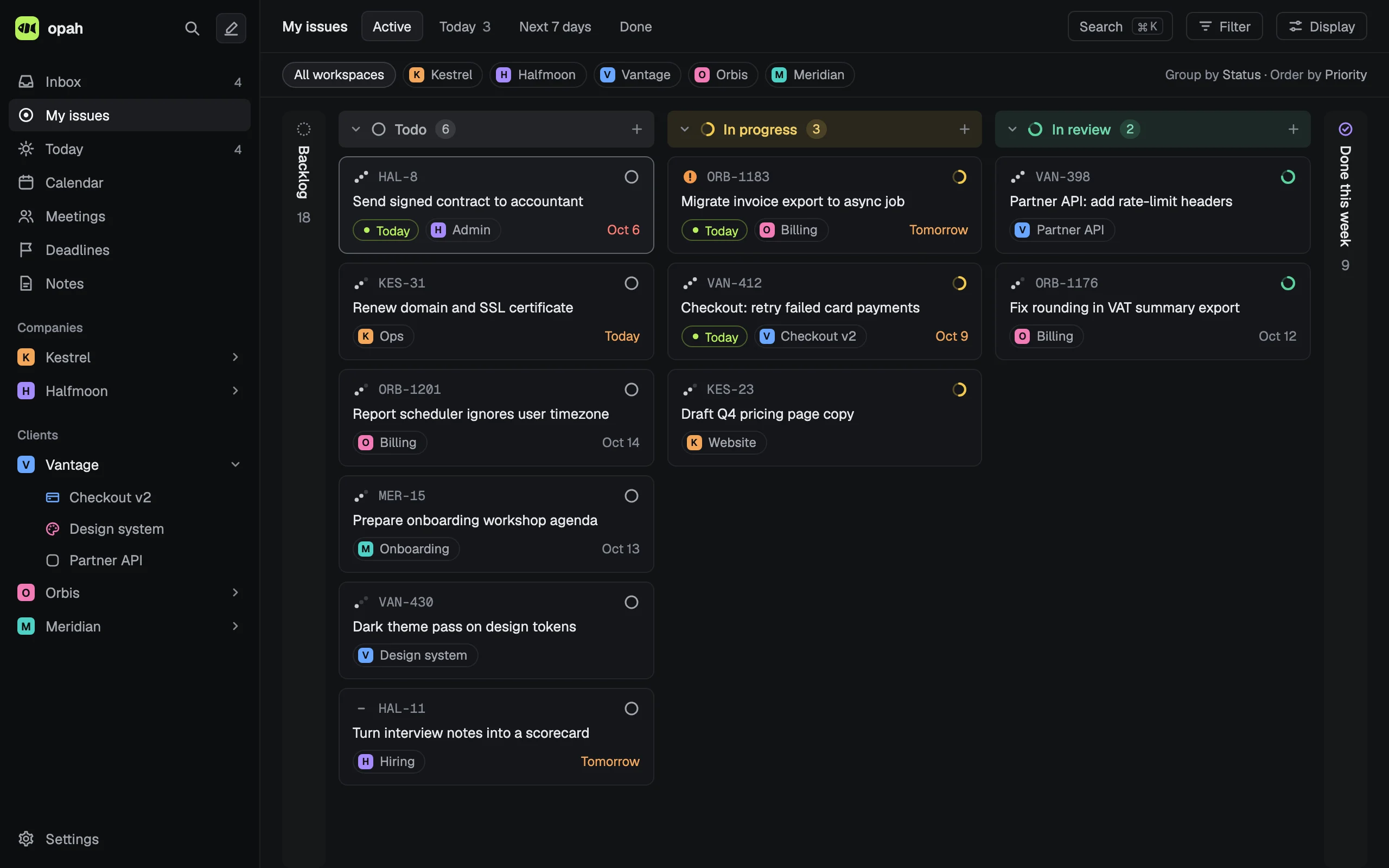
One list, every tracker
- Several Jira Cloud sites, Linear workspaces, GitHub accounts (github.com or Enterprise Server) and GitLabs (gitlab.com or self-managed), each issue under its own key:
PAY-88,web#412,web!31. - The pull requests and merge requests waiting for your review, each until your review is given.
- Status, priority, due date and project follow the tracker when they change there. The title and description stay the tracker’s, read only, with your own notes under them.
- New issues wait in the Inbox until you accept or dismiss them.
Run from the keyboard
- A shortcut for every action, each one yours to change in Settings › Shortcuts.
- ⌘K (Ctrl K elsewhere) searches issues by key or title, projects, notes, meetings and actions.
- Select several issues and set their status, priority, plan or project at once.
- A list or a board, grouped and filtered as you like.
Notes in Markdown
Notes, meeting notes and project briefs are Markdown, written rendered: code blocks highlighted by their fence’s language, tables, checklists and pasted screenshots. @ links an issue, a note or a meeting, and @linear retry searches a connected Linear, Jira, GitHub or Notion and links what you pick.
Nothing written unless you say so
opah only reads until you turn on Send status for a connection. Then a status you set goes back, as a Jira transition, a Linear state, or closing and reopening a GitHub or GitLab issue, and nothing else: no comments, no assignees, and pull and merge requests are never written.
How you connect
Each tracker takes a token of your own: a Jira API token, a Linear API key, a GitHub fine-grained or classic token, a GitLab personal access token. opah checks it with the service and keeps it encrypted on its server, where the page never sees it again.
Questions
Can I see issues from several Jira sites in one place?
Yes. Connect each Jira Cloud site in the workspace of the company it belongs to, and My issues lists everything assigned to you across them, beside your Linear, GitHub and GitLab issues.
Does it work with GitHub Enterprise Server and self-managed GitLab?
Yes: give the server’s address when you connect. opah’s server connects only to public addresses, so a server reachable only inside a company network can’t be connected.
Can I track time on a Jira or GitHub issue?
Yes, on any issue, read from a tracker or your own. The time stays in opah and isn’t sent to the tracker. More on time tracking.
Does opah read Asana, ClickUp or Trello?
No. It reads Jira Cloud, Linear, GitHub, GitLab and Notion, and captures Slack messages. Work from anywhere else goes in as your own issues.
See it with sample data
The demo opens in your browser with five made-up companies’ issues, calendar, meetings and notes. Nothing to sign up for.
Try the demo, no account