For freelancers, contractors and consultants
A planner for freelancers who work for several clients.
Every client has its own tracker, calendar and meetings. opah puts them in one plan: a workspace per client, the issues they assign you, your meetings and notes, the deadlines and the time you put in.
The demo runs on sample data in your browser. Nothing is saved: reload it to start over.
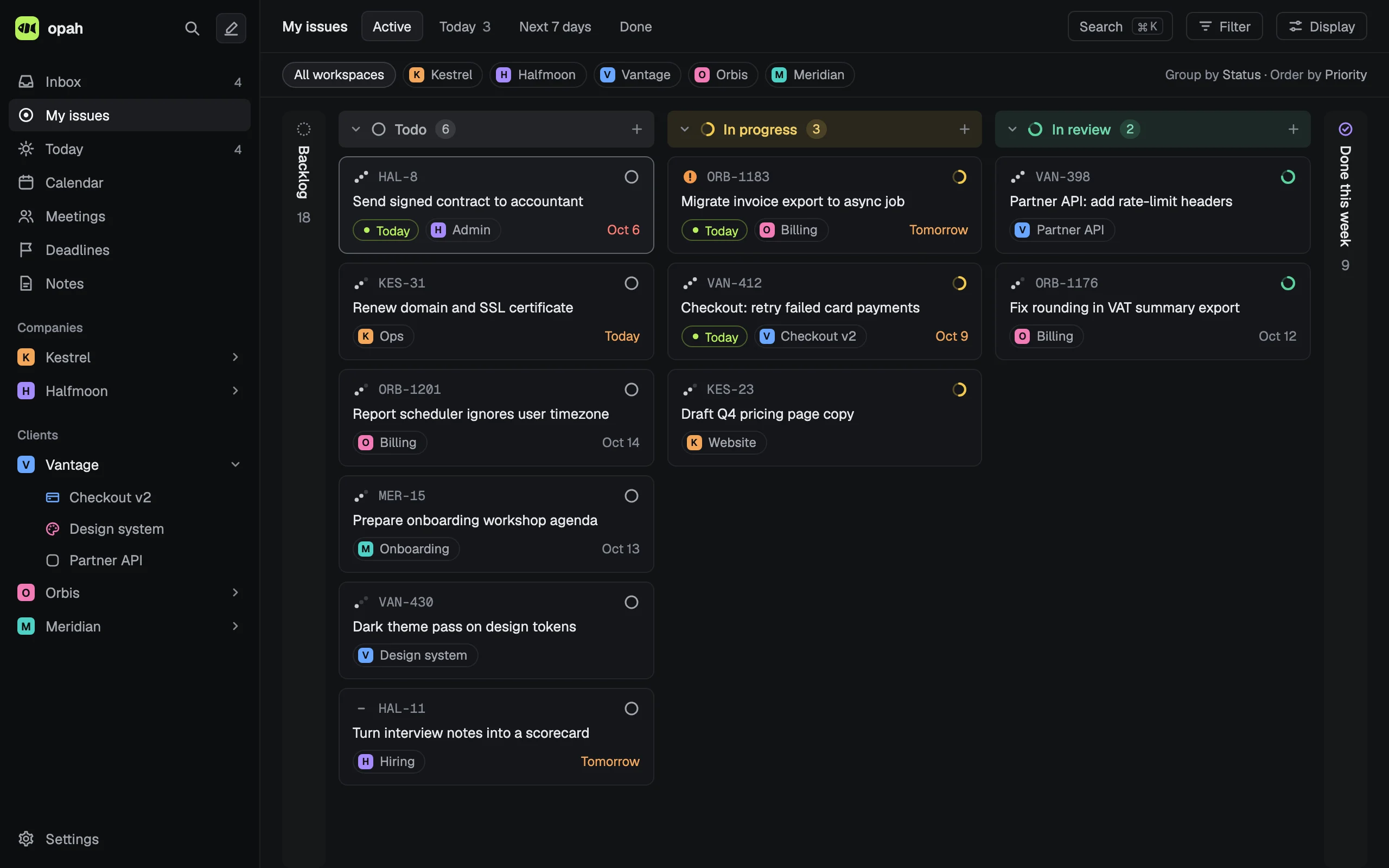
Each client, a workspace
A workspace holds one company’s projects, issues, notes, meetings, deadlines and time, under its own key and color: VAN-412 is Vantage’s, ORB-1183 Orbis’s. Mark it as a client’s or your own, so your side projects sit beside your clients’ work.
My issues, Today and the calendar show every workspace at once, and narrow to one client with a click.
Their tools, read for you
Connect each client’s Jira, Linear, GitHub, GitLab or Notion to its workspace, and the issues assigned to you there arrive in your Inbox, kept current while opah is open. Mark a message in a client’s Slack with an emoji and it becomes an issue too.
Nothing goes back to a client’s tools unless you turn on Send status for that connection, and then only the status.
Your week in one place
- Today lists what’s planned or due today for every client, beside the day’s meetings.
- Deadlines per client and project, on each project’s timeline and in the calendar.
- The Google calendars of every account you use, your own and your clients’, both ways.
- Meeting notes for every meeting, with the agenda, the action items and the issues it’s about.
Time per client, for your invoices
Start a timer on any issue, or add entries by hand. Settings › Time totals a week or any range of days per client and project, and exports it as CSV: the date, client, project, issue and minutes of each entry. opah doesn’t send invoices; the CSV goes into whatever does. More on time tracking.
Kept apart, kept yours
Each connection’s token is kept encrypted on opah’s server and used for that connection alone. Your plan, estimates, labels, comments and My notes stay in opah and never reach a client’s tools. Export everything as JSON or Markdown any time.
Questions
Can I keep each client’s work separate?
Yes. Each client is a workspace with its own projects, issues, notes, meetings, calendars and connections. The views across workspaces, My issues, Today and the calendar, narrow to one client with a click.
Does opah change anything in my clients’ Jira or GitHub?
Not unless you turn on Send status for that connection. Then it sends only an issue’s status: never a title, a description, a comment or an assignee, and it never creates or deletes an issue there.
Can I connect two Jira sites, or one service twice?
Yes. A workspace can have several connections, even to the same service, and each client’s workspace has its own.
Do my clients need an account?
No. opah is a personal planner: nothing for your clients to install and nobody to invite. You connect with your own tokens and sign-ins.
Can I try it without signing up?
Yes. The demo opens in your browser with five made-up companies’ issues, calendar, meetings and notes, and asks for no account or email address.
See it with sample data
The demo opens in your browser with five made-up companies’ issues, calendar, meetings and notes. Nothing to sign up for.
Try the demo, no account