Meeting notes
Meeting notes that know what the meeting was about.
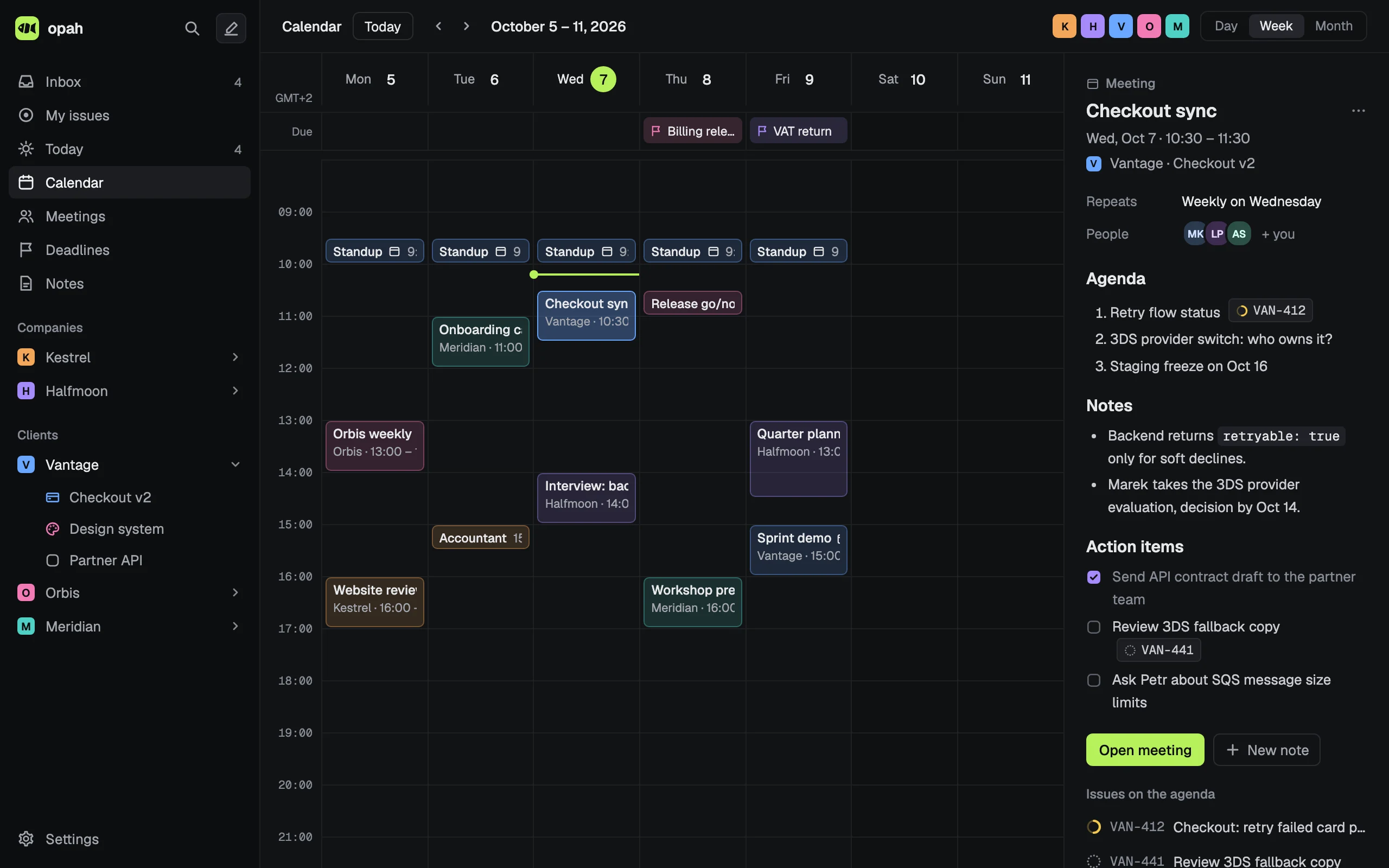
Every meeting on your calendar gets its notes in opah: started from your template, with last time’s open action items, the issues on the agenda and a button that turns any action item into an issue.
The demo runs on sample data in your browser. Nothing is saved: reload it to start over.
Notes for every meeting
- Open a meeting from the calendar, Today or the Meetings view, and its notes are there, made from the workspace’s template.
- In a repeating meeting, the unchecked action items of the last one come along into the next.
- Mention an issue with
@and it’s on the meeting’s agenda, listed beside it in the calendar. - Make issue on an action item creates the issue in the meeting’s workspace and project, and links it on the line.
- Meeting now starts notes for a call that isn’t on the calendar.
Every meeting in one list
The Meetings view lists the next 14 days’ meetings by day, a repeating one by its next meeting, and every past one, latest first. Each workspace and project has its own Meetings tab.
Your Google calendars, both ways
Bring in the Google calendars of each account you use. Make any event a meeting to give it notes; an event you make, move or change on a Google calendar goes back there.
Written in Markdown
Headings, checklists, tables, code blocks and pasted pictures, written rendered and saved as you type. Search them with the rest of your notes from ⌘K, and export them as Markdown files any time.
Action items don’t get lost
The unchecked action items of the last 14 days’ meetings wait in the Inbox until they become issues, so a promise made in a call ends up in your plan.
Questions
Does opah record or transcribe meetings?
No. There’s no recording, transcript or AI notetaker: you write the notes, and opah keeps them with the meeting, its series and the issues it’s about.
Can I use a template for meeting notes?
Yes. Templates are in Settings › Templates, and each workspace picks the one its new meetings start from.
Does it join Google Meet or Zoom calls?
No. It reads the event from Google Calendar, call link included, and never joins a call.
Can I export my meeting notes?
Yes. Settings › Data exports notes and meetings as a folder of Markdown files with frontmatter, or everything as JSON.
See it with sample data
The demo opens in your browser with five made-up companies’ issues, calendar, meetings and notes. Nothing to sign up for.
Try the demo, no account