Plan your day
Plan your day with your work and your meetings side by side.
Today lists the issues you planned for today and those due, from every company you work for, beside the day’s meetings and events. Plan the rest of the week a day at a time, and start each day knowing what’s on it.
The demo runs on sample data in your browser. Nothing is saved: reload it to start over.
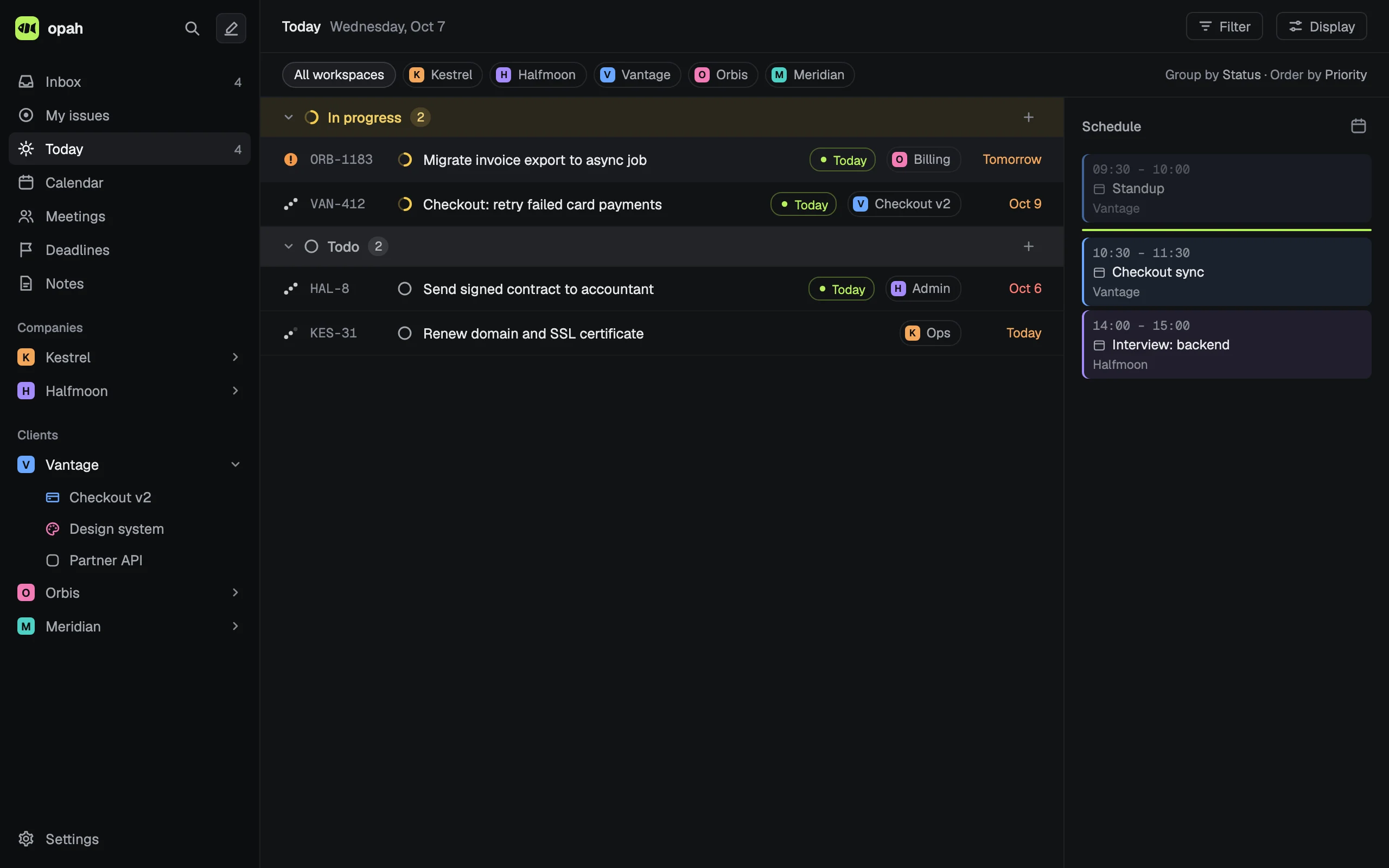
Today, on one page
- The open issues planned or due today, and those carried over or overdue, grouped by status.
- Beside them, the day’s schedule: all-day events and deadlines, then meetings and events by time, with a line where now falls.
Tplans an issue for today or takes it off; an issue made on Today is planned for today.- A meeting in the schedule opens its notes, a deadline its page.
- The sidebar counts what Today lists, wherever you are in the app.
The rest of the week
Plan an issue for any day by typing it: fri, next mon, oct 20 or in 2 weeks. It shows on Today when the day comes.
Deadlines collect in one list, Overdue, This week, Next week and Later, and on each project’s timeline to its target date.
Your calendar in the same app
Day, week and month views with the Google calendars of every account you use, both ways. Drag to make an event, move it or resize it, and every meeting gets its notes.
Issues stay off the calendar: it holds your events and meetings, and Today holds the work beside them.
The Inbox first
New issues from your clients’ trackers, the Slack messages you marked and the open action items of recent meetings wait in the Inbox. Accept them, give them a workspace or dismiss them, then plan what’s left.
Questions
Does opah schedule my day for me?
No. You plan: a day per issue, estimates and deadlines. Nothing moves by itself, and there’s no AI deciding your day.
Can I time-block issues on the calendar?
No. Issues don’t go on the calendar; Today puts them beside the day’s schedule instead, so you see the work and the time you have for it.
Does it work with Outlook or iCloud calendars?
No, only Google Calendar, with as many Google accounts as you use.
Is there a phone app?
No. opah runs in your browser and installs as an app on your computer, made for a keyboard and a large screen.
See it with sample data
The demo opens in your browser with five made-up companies’ issues, calendar, meetings and notes. Nothing to sign up for.
Try the demo, no account